

Hardware & Apps
Your Practice. On Your Desk. In Your Pocket.
Enterprise desk phone and mobile app, fully
connected to KloudMD.

Enterprise VoIP desk
phone included
Mobile app for
iOS and Android
Every call and message
connected to patient profiles
Manage your practice
from anywhere
DESK PHONE
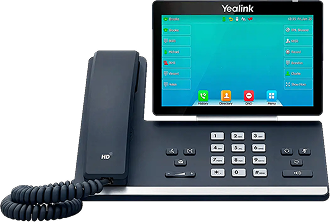
The Yealink T54W, Enterprise VoIP
for Your Practice.
The KloudMD Desk Phone is a Yealink T54W, a professional-grade VoIP phone built for busy practices. HD audio, adjustable 4.3" color display, up to 16 SIP accounts, and seamless integration with KloudMD. Every call is logged to the patient profile, recorded, and transcribed by AI. Caller ID pulls patient info before you pick up. Transfer calls between providers with one touch. Plug it into your network and it's ready, ships pre-configured to your KloudMD account.
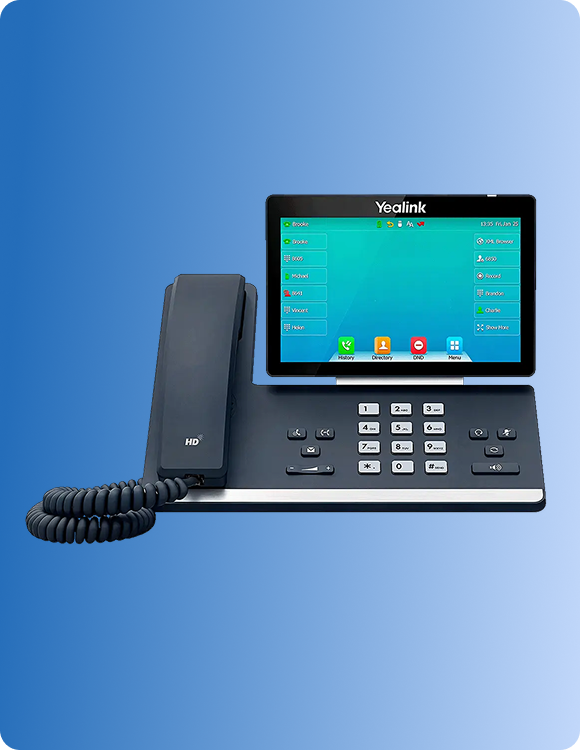
Yealink T54W
Professional-grade hardware trusted by enterprises. 4.3" adjustable color screen, HD audio, Gigabit Ethernet, built-in Bluetooth and Wi-Fi, and a sleek design that looks right on any front desk.
Up to 16 SIP Accounts
Get Figma’s font installer or desktop app to use fonts from your computer.
Full KloudMD Integration
Get Figma’s font installer or desktop app to use fonts from your computer.
One-Touch Transfer
Get Figma’s font installer or desktop app to use fonts from your computer.
Voicemail with AI Transcription
Get Figma’s font installer or desktop app to use fonts from your computer.
Plug-and-Play Setup
Get Figma’s font installer or desktop app to use fonts from your computer.
Programmable Keys
Get Figma’s font installer or desktop app to use fonts from your computer.
Built for All Day
Get Figma’s font installer or desktop app to use fonts from your computer.
MOBILE APP
Your Entire Practice In Your Pocket.
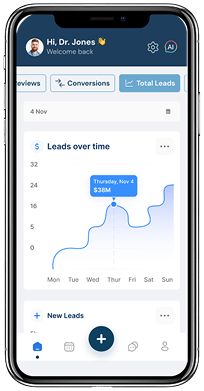
Your practice doesn't stop when you leave the office. The KloudMD Mobile App gives you full access to your patients, messages, schedule, pipeline, and notifications from your phone. Respond to patient texts on the go. Check tomorrow's schedule from home. Get notified when a new lead comes in. Manage your practice from anywhere without carrying a laptop or calling the front desk.
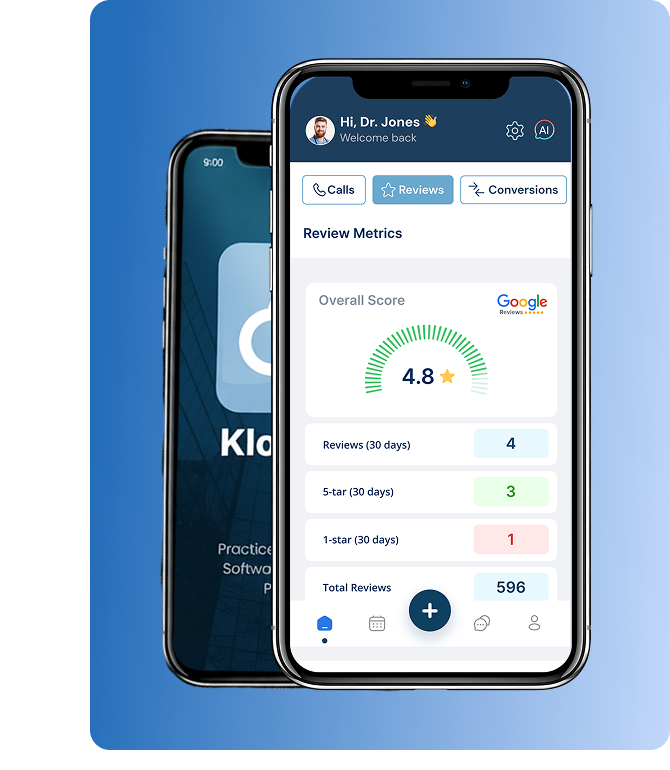
iOS & Android
Available on the App Store and Google Play. Works on iPhones, iPads, and Android devices. Download, sign in, and you're connected.
Real-Time Notifications
Get Figma’s font installer or desktop app to use fonts from your computer.
Unified Inbox
Get Figma’s font installer or desktop app to use fonts from your computer.
Schedule & Calendar
Get Figma’s font installer or desktop app to use fonts from your computer.
Patient Profiles
Get Figma’s font installer or desktop app to use fonts from your computer.
Call & Text from App
Get Figma’s font installer or desktop app to use fonts from your computer.
Hardware and apps that are part of
your platform, not separate tools.
Desk phone
Call logging
Mobile access
Practice number
Notifications
Setup
Generic VoIP Phone /
No Mobile App
-
Generic phone, no connection to
patient data
-
Separate call log, manually
record notes
-
No app, or a basic portal that
doesn't do much
-
Use your personal phone for
after-hours texts
-
Check the system when you
remember to
- Complex provisioning, IT required
KloudMD Hardware & Apps
- Yealink T54W fully integrated, caller ID shows patient profile, calls logged and transcribed
- Every call auto-logged to patient profile with AI transcription
- Full mobile app, inbox, calendar, pipeline, profiles, tasks, calling
-
Call and text from the app using
your practice number
-
Real-time push notifications for
leads, messages, calls, and tasks
- Plug-and-play, pre-configured, connect and go
Connected at your desk
Connected on the go.
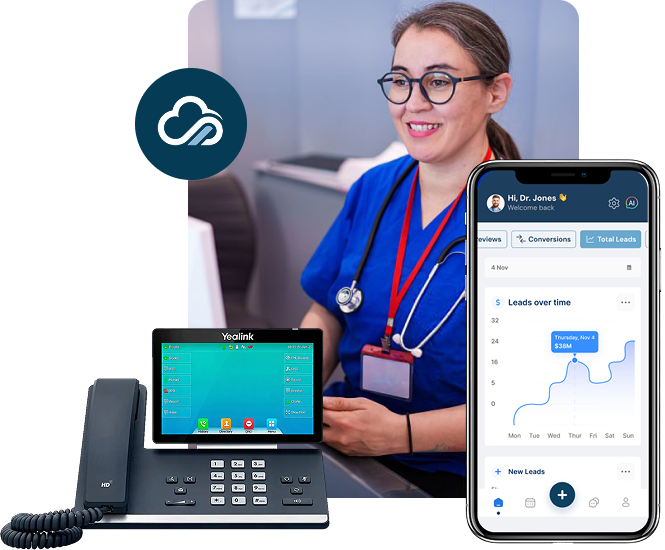
Enterprise desk phone and mobile app, both fully integrated with KloudMD. Every call, every message, every patient, whether you're at the front desk or on your phone.
-
Yealink T54W —
enterprise-grade VoIP,
plug-and-play
-
Every call logged,
recorded, and
transcribed by AI
-
Mobile app for iOS
and Android: your
practice in your pocket
-
Pre-configured
no IT setup required