













Every patient. Every conversation. Every touchpoint. One place.
Zero patients lost
between systems
Every message
in one inbox
AI-powered pipeline
that updates itself
Full patient history
at a glance
Pipeline
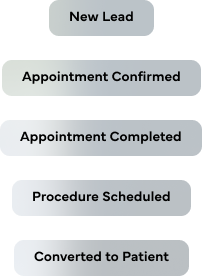
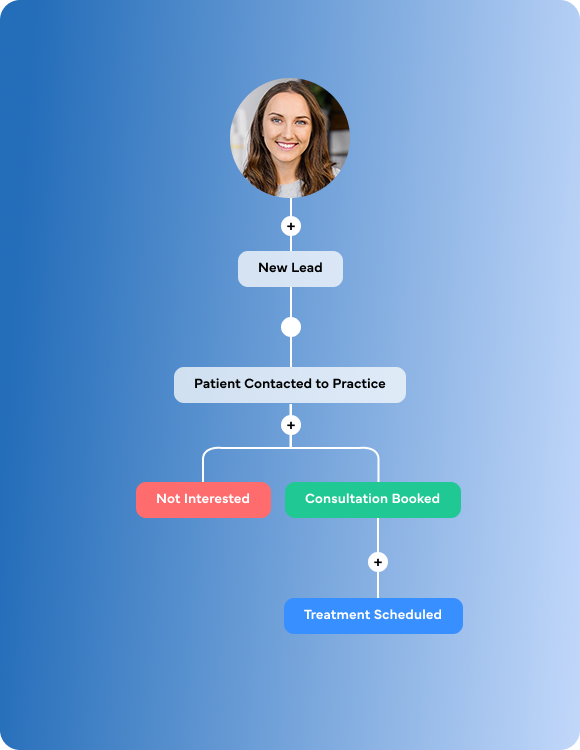
Visualize every patient's journey through custom stages. AI moves them forward automatically.
Inbox
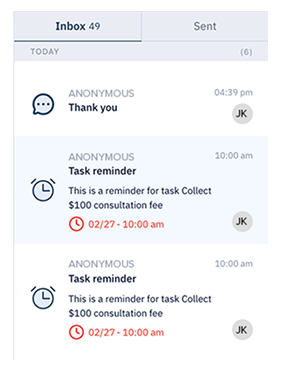
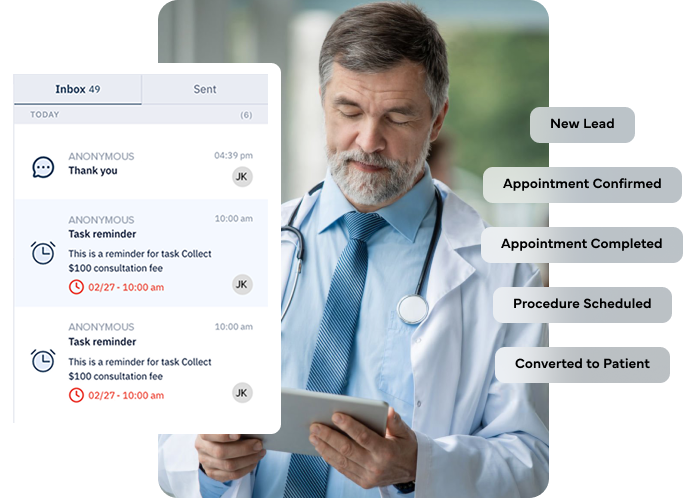
Every SMS, email, call, and form submission in one unified thread. AI flags sentiment and urgency.
Profiles
Rich patient profiles with custom fields, tags, source tracking, and qualification status.
Bulk Operations
Import, export, merge duplicates, and update thousands of records in
seconds.
Patient Portal
Self-service booking, document uploads, invoice access, and requests — no phone call needed.
Tasks Hub
AI-suggested action items, patient requests, and team task management in one place.
Stop managing patients across 6 tools. Manage them in one.
PIPELINE
Your pipeline isn't a spreadsheet. It's a living, visual board that shows exactly where every patient is, from new inquiry to booked. Define your own stages, New Lead, Contacted, Consultation Booked, Treatment Scheduled, Not Interested, whatever fits your practice.
Drag-and-drop patients across stages. See your entire pipeline at a glance, by provider, by service, by source, or by date.
Get Figma’s font installer or desktop app to use fonts from your computer.
Get Figma’s font installer or desktop app to use fonts from your computer.
Get Figma’s font installer or desktop app to use fonts from your computer.
Get Figma’s font installer or desktop app to use fonts from your computer.
Get Figma’s font installer or desktop app to use fonts from your computer.
Inbox
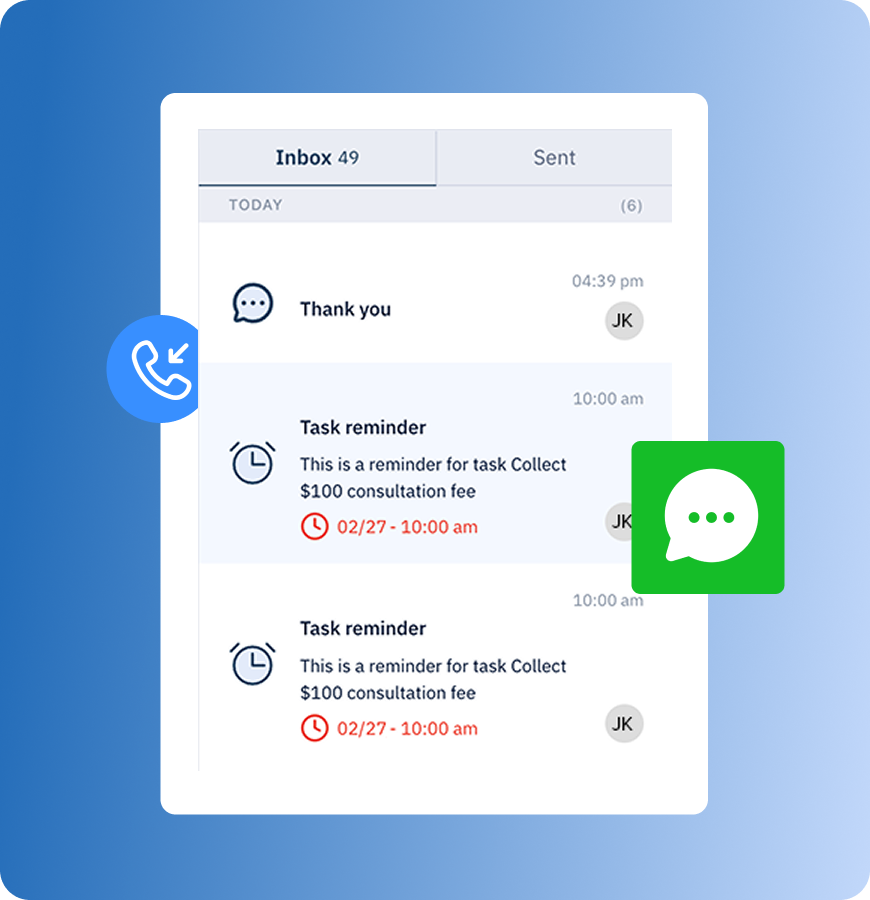
Stop checking five places for patient messages. KloudMD pulls every SMS, email, phone call, form submission, and portal request into one unified inbox, threaded by patient, enriched by AI. Your team sees the full conversation history in a single timeline. AI flags urgent messages and analyzes tone. Notes live alongside the conversation. Every interaction is logged, searchable, and connected to the patient's profile.
SMS, email, calls, form submissions, and portal messages, all in one chronological thread per patient. No switching tabs, no missing context.
Get Figma’s font installer or desktop app to use fonts from your computer.
Get Figma’s font installer or desktop app to use fonts from your computer.
Get Figma’s font installer or desktop app to use fonts from your computer.
Get Figma’s font installer or desktop app to use fonts from your computer.
Profiles
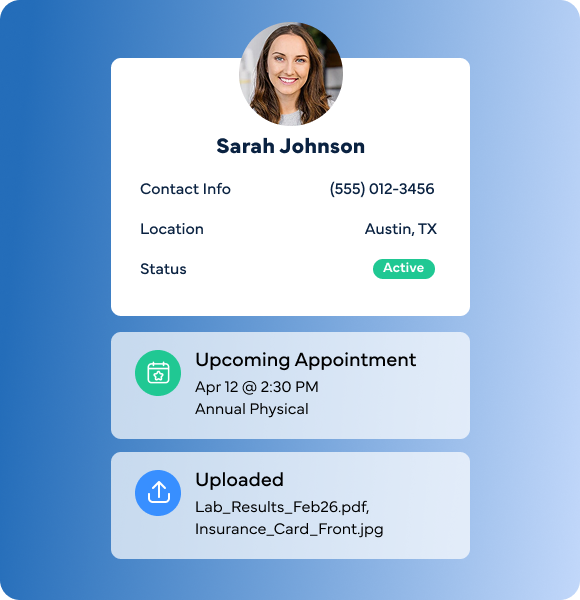
See patients’ full history, preferences, tags, how they found you, what they're interested in, and whether they're qualified, all in one view. KloudMD Profiles are built for practices that want to actually understand their patients. Every interaction, every form, every booking, every message, every note. Custom fields let you track what matters to your practice. Tags let you segment and filter. Source tracking tells you exactly which channel brought them in. And qualification scoring tells your team who's ready to book and who needs nurturing.
Name, contact info, demographics, upcoming appointments, balance, forms submitted, documents uploaded, full conversation history: one screen, everything.
Get Figma’s font installer or desktop app to use fonts from your computer.
Get Figma’s font installer or desktop app to use fonts from your computer.
Get Figma’s font installer or desktop app to use fonts from your computer.
Get Figma’s font installer or desktop app to use fonts from your computer.
BULK OPERATIONS
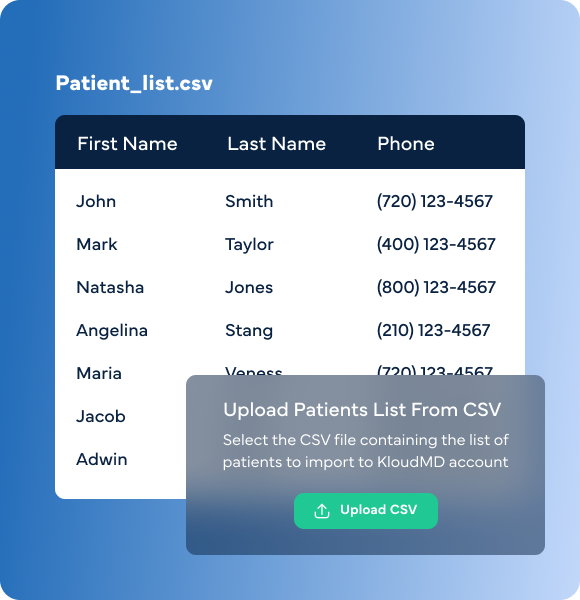
Cleaning up your database? Need to retag 500 patients? Bulk Operations lets you import, export, update, and merge records at scale, without touching them one by one. KloudMD Bulk Operations gives you the tools to clean it all up fast, and keep it clean going forward. Import from CSV, export for reporting, bulk-update fields and tags, and let AI find and merge duplicate records automatically.
Bring your existing patient list into KloudMD in minutes. Map columns to fields, set default tags, and import thousands of records with one upload. Built-in validation catches errors before they go live.
Get Figma’s font installer or desktop app to use fonts from your computer.
Get Figma’s font installer or desktop app to use fonts from your computer.
Get Figma’s font installer or desktop app to use fonts from your computer.
Get Figma’s font installer or desktop app to use fonts from your computer.
PATIENT PORTAL
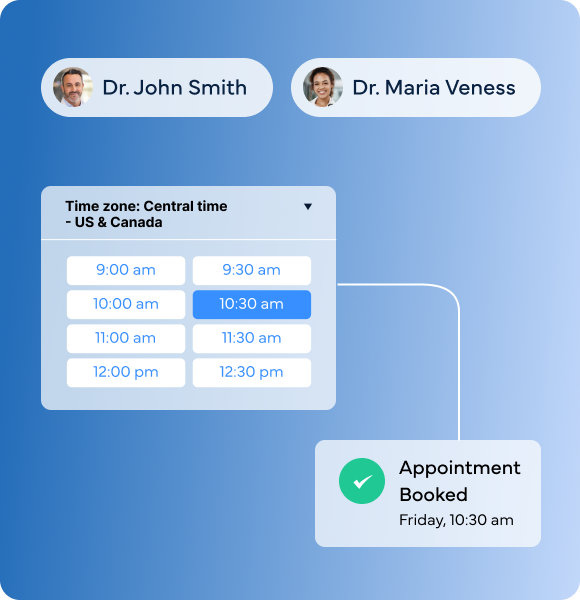
Patients want to book, upload documents, check invoices, and send requests without calling your office. The KloudMD Patient Portal gives them a self-service experience that's easy, modern, and branded to your practice.
Patients browse available providers and time slots, select their service, and book directly, synced to your calendar and EMR in real time. No phone call. No back-and-forth.
Get Figma’s font installer or desktop app to use fonts from your computer.
Get Figma’s font installer or desktop app to use fonts from your computer.
Get Figma’s font installer or desktop app to use fonts from your computer.
TASKS HUB
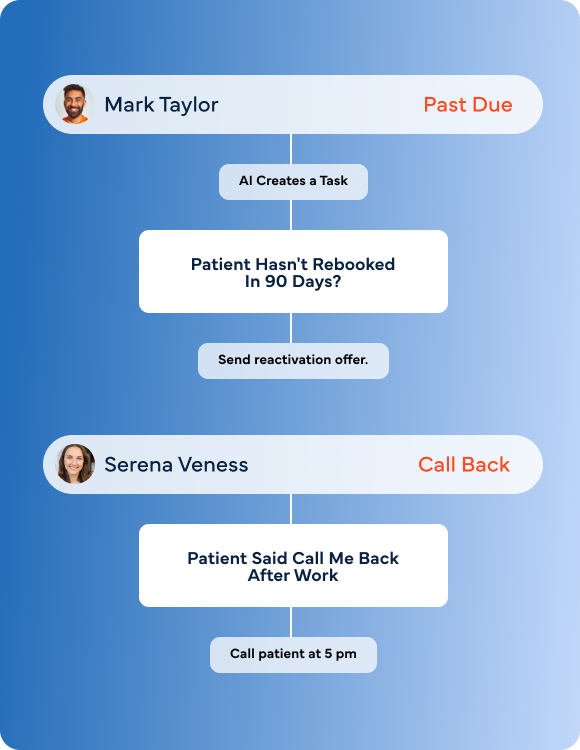
creates a task. Patient asked for a callback? No-show needs follow-up? AI creates a task. The Tasks Hub keeps your team organized, and AI fills it with the action items they'd otherwise forget. One hub that centralize tasks for your team, powered by AI that automatically generates action items from patient interactions, portal requests, pipeline changes, and conversation analysis.
AI creates tasks automatically. “Patient hasn't rebooked in 90 days? Task: "Send reactivation offer." “Patient said call me back after work” Task: “Call patient at 5 pm”. No manual entry needed.
Get Figma’s font installer or desktop app to use fonts from your computer.
Get Figma’s font installer or desktop app to use fonts from your computer.
Get Figma’s font installer or desktop app to use fonts from your computer.
Get Figma’s font installer or desktop app to use fonts from your computer.
Get Figma’s font installer or desktop app to use fonts from your computer.
Get Figma’s font installer or desktop app to use fonts from your computer.
Patient view
Inbox
Pipeline
Tasks
Patient portal
Bulk operations
AI
EMR sync
Other Platforms
KloudMD
Patient profiles, appointments, and data flow between KloudMD and your EMR in real time. No double-entry. No manual syncing. One update here, it's reflected there.
Keep your system. Lose the busywork
Stop losing patients between systems. Stop asking "did anyone follow up?" Stop managing your practice in spreadsheets. KloudMD Patient Management gives your team one place for everything, and AI that keeps it all moving.